Attaching a Backing Panel for Wide-Screen TV in an Entertainment Center
Simple tips on assembling entertainment centers for wide-screen TVs. March 25, 2007
Question
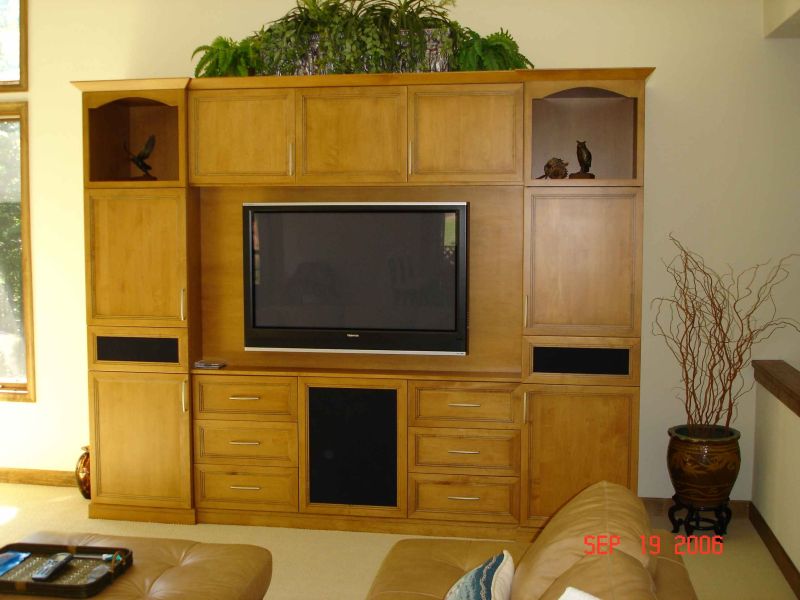
I am building a large entertainment center that has a 5' wide center panel in the middle for a flat screen TV. This is flanked by side cabinets. I am deciding on the best way to attach the panel, which is a 3/4" piece of maple plywood. I was originally going to rabbet, but I don't think this will work. I could set it in between and cover gaps with trim or could attach to the back. What would you recommend?
Forum Responses
(Cabinetmaking Forum)
From contributor D:
I'm not sure I understand your application or the purpose of this big maple panel. This panel constitutes the back of the TV compartment, or the front (like a door)? Does it have to be removable? Structural?
From the original questioner:
It will support the flat screen TV up to 50". It is the back of the cavity where the TV mounts.
From contributor E:
Is TV just mounted on panel or on a pullout arm? This will tell you where to put the panel, in relation to the front of cabinets. For support frame, that let's you put panel wherever needed. Cut some 1" x 2-1/4" strips of maple. Dado a groove to hold ply, making it 1/2" deep. Miter frame pieces to fit opening. Pre-drill one 3/4" side. Put around panel set in TV hole. If you can get to back, put screws on back side. If not, put the screws on front side. Add small trim to hide screw holes. I put screws 6-8" apart. Overkill? I feel better with more. Check the mount to be used. You may need to add some blocking to the back of panel to hold fasteners.
From contributor R:
I've done this several times. Either use metal "L" brackets, or make "L" shaped wood brackets. Use putty or some type of trim to hide the screw holes. If you need to hide any gaps between your back panel and side cabinets, the trim takes care of that at the same time.
From contributor Z:
Just build a 1 x 2 frame, screw panel to it and trim it – that's what I would do. Strong, neat and removable if needed.
From contributor B:
I hold them in place with pocket screws. A precisely cut back won't require any trim, dadoes, blocks, etc.
From contributor T:
I agree with contributor B. I have done many projects like this. With 3/4" ply I just pocket the hell out of the back. Sometimes I'll biscuit it just to make sure. Glue it good, lay it flat, and let it dry. I have never had a problem.
From contributor N:
We used a couple cleats attached to the cabinet sides, bottom, and countertop to help locate the panel and then just screwed through the adjacent cabinets into the 3/4" panel. No trim needed.
Click here for higher quality, full size image
