Drawing Nested Ellipses in CAD
but not both. Ace CAD drafters share quick ellipse tips. June 28, 2005
Question
I am looking for some help programming the ellipse below in Alphacam. I have tried the ellipse function, as well as stretching a circle. It seems the width and distances given never all agree. Does anyone have any suggestions?
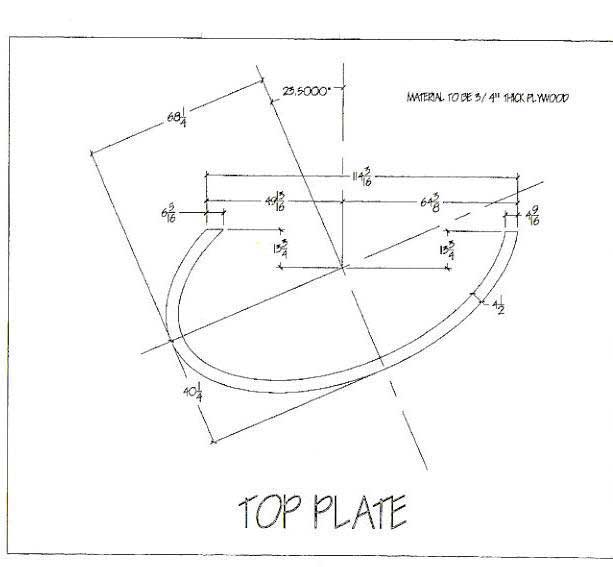
Click here for full size image
Forum Responses
(CAD Forum)
From contributor K:
Only one of the two curves can be part of an ellipse. You should use offset to get the other curve
From the original questioner:
To contributor K: I tried that, but still had trouble getting all of the dimensions correct.
From contributor E:
Using the data from your drawing, I recreated the outer ellipse. I then used offset>distance=4.5>What=geometry
Then by using Dimension>Type=aligned and using snap to end of line/arc, I confirmed a constant margin around the two geometries. Is your goal to make a constant width, or a mathematically correct pair of ellipses?
From contributor R:
Is AlphaCAM really that hard to draw in? It took me took less than 5 minutes to draw this in AutoCAD.
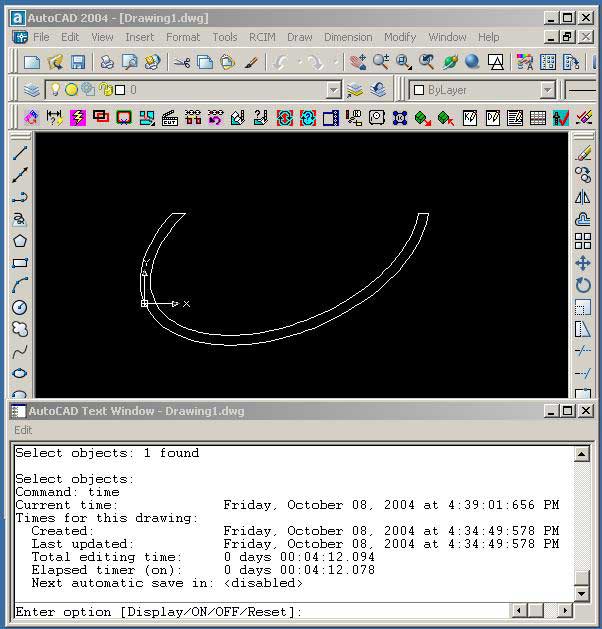
Click here for full size image
From contributor B:
I was able to draw this in 7 Minutes in Mastercam with all the dimensioning and notes. Contributor K is right. You cannot use two ellipses to produce what you are looking for. It’s mathematically impossible.
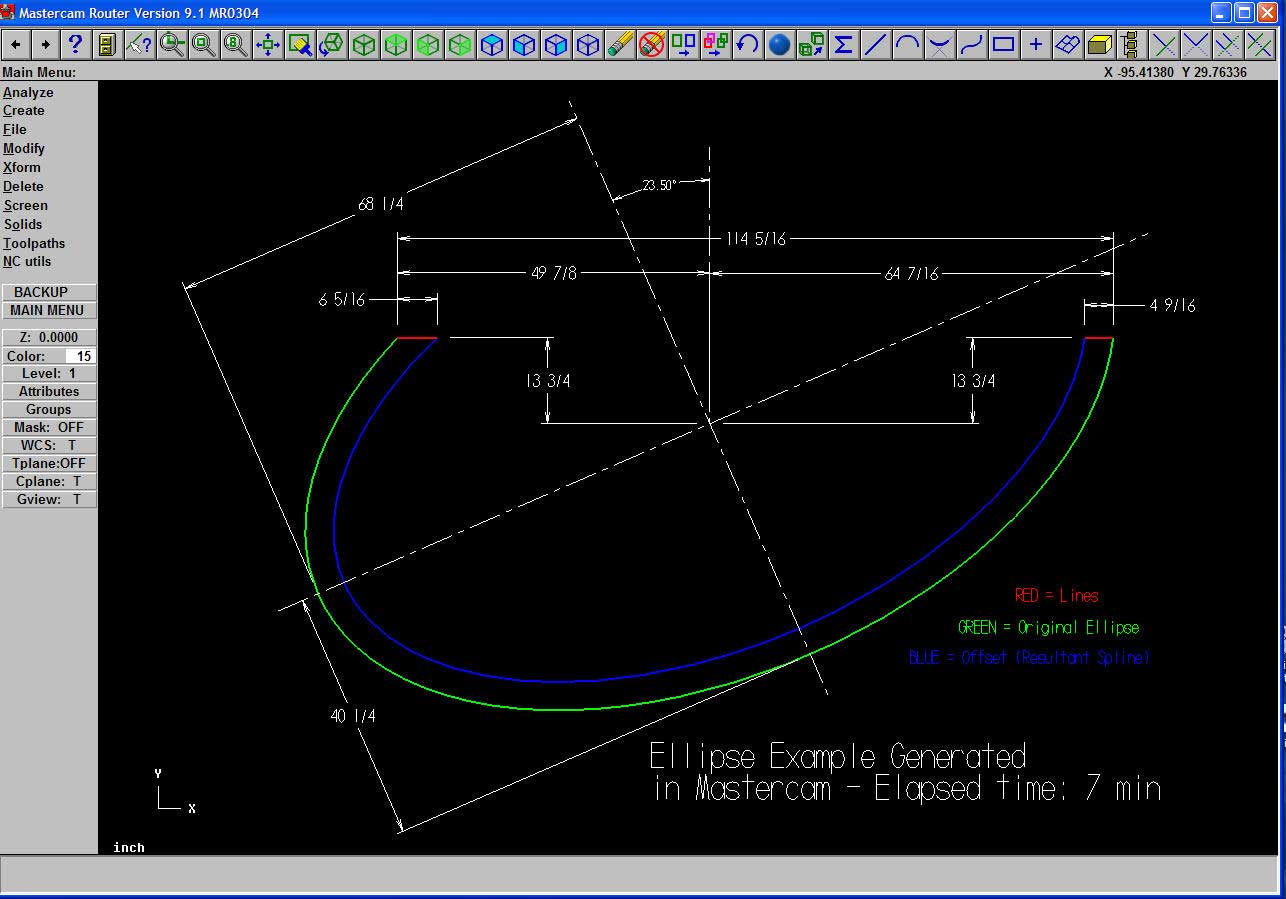
Click here for full size image
From contributor E:
To contributor R: AlphaCAM isn't that hard to draw in. My sample was done in about two minutes, including dimensioning and reffering back here to confirm dimensions and what the original post requested.
From contributor R:
I’m not sure I understand the message that states it can not be drawn with 2 ellipses. I absolutely can draw it as 2 ellipses in AutoCAD and get the dimensioned results. The original drawing posted looks like it was done in Acad (based on the font).
Would it not be easier to get the .dwg from the source, and use it in AlphaCAM? Can AlphaCAM import the nurbs ellipse from AutoCAD, or does it require the pellipse set to 1?
Does anyone know if AlphaCAM can read the new 2004-2005 dwg format (or does it require to be saved as 2000 compatible)?
From contributor B:
To contributor R: Take a look at the drawing below, and then tell me if you can create the two ellipses in AutoCAD and also maintain the same width of 4.5" along the length of the part. Yes, you will be able to achieve the 4.5" at the four quadrants (), 90, 180, 270 degrees), but the width will vary in-between the quadrant locations.
Again, in order to create the required geometry, one must create the base ellipse and then offset it by 4.5" to create the necessary oval shape (made of a spline, nurbed curve or line/arc approximation).
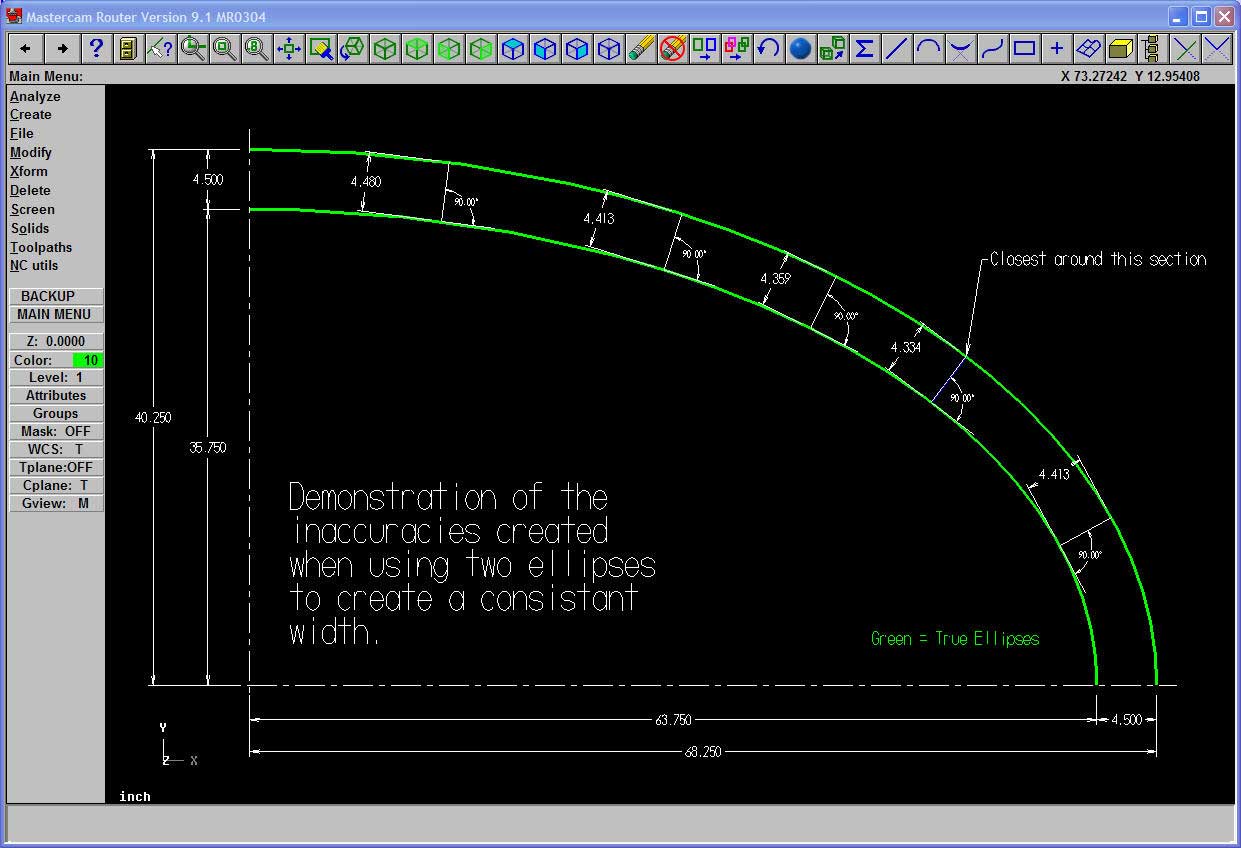
Click here for full size image
From contributor R:
To contributor B: Thank you. I see your point that if I use the nurbs ellipse and offset it, the offset object is a spline. The variance between an ellipse and a spline appears to be under .06 inches in most places for this example.
