Limitations of an Older Used CNC Router
A woodworker ponders purchasing some old iron and silicon. June 17, 2009
Question
I’m looking at a used 1999 AXYZ router. It has a 7 hp Perske spindle and Desouter drill. I would like to cut case parts, adjustables, etc. and drill shelf pins, guide and hinge plate holes. It comes with a 10 hp vacuum. I’m wondering about a software package to produce and any other advice to look out for.
Forum Responses
(CNC Forum)
From contributor X:
Make sure you check if the router’s operating software is compatible with new operating software such as XP and Vista. I was looking at buying a similar AXYZ router but was told that I would need to upgrade the control as the old one can only work with Windows 98 and there is no support for the older Toolpath software that is used to control these machines. The upgrade was around $3,000 depending on the options.
From contributor G:
The older machines have often been large stepper motors over servo motors. Not the most terrible thing, I believe they are probably fine, but might limit the top speed of the machine. If you don't know the difference, look at the knowledge base article I linked below. You might be fine with steppers (hey it's worked for eight years, right?), but you should know the difference.
Servo vs. stepper motors
From contributor J:
I purchased a 99 Camaster and upgraded the dos controller (Windows 98) to WinCNC operated with the Anaheim 1/2 steppers for about six months then upgraded the motors and drives as I wanted to do more 3-D work and the 1/2 steppers were not interested! I used the money from the side jobs to purchase a new three head X3 from them as well.
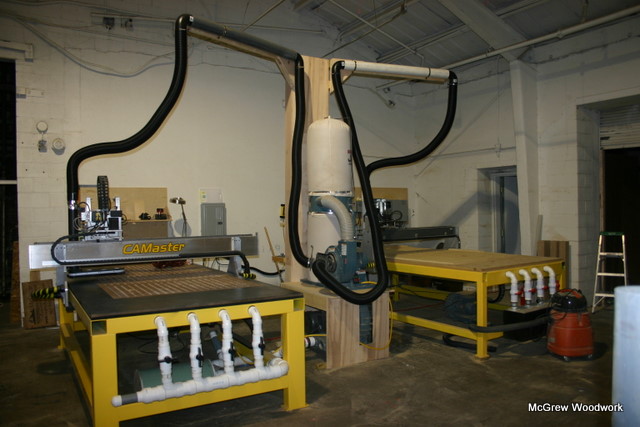
Click here for higher quality, full size image
From contributor H:
I would be more concerned about the physical condition of the machine then its upgrade ability. There is not necessarily a substantial need to run on more modern operating systems. A nearly ten year old machine could require some hands on repair work. You need to be comfortable with that, or able to afford service/repair costs.
From contributor V:
Actually I found the Toolpath software to do its job just fine. We did all our drawings in AutoCAD LT and then imported the .DXF's into toolpath and applied the tools and toolpaths. I will say it's no Mastercam (what I use now ) but for the five years I ran one at a sign shop it never let me down, and yes you can change the feed and speed on the fly.
From contributor R:
How do you change the feeds and speeds on the fly? The machines I have run have a rotary knobs (potentiometers) that you can adjust feeds and speeds "while the machine is running". Our AXYZ control box doesn't have that luxury. If there is a way to do it I would love to know.
From contributor V:
I agree it's not as sweet as some machines, but to adjust the spindle speed you just need to hit to up/down buttons on the inverter, you can do this on the fly, now for the feed speed, you can't quite do this on the "fly" but you can just hit the pause and then change the feed speed and resume. For me once I figured my feeds and speeds I would just set them in the Toolpath software as most of the time I ran the spindle at 18,000 rpm and then just set my feed speeds in the software. If I wasn't quite happy with my feed choice while running it I just paused, reset my feed and restarted. Once you've mastered your feed and speed there is no real need to change it on the fly.
