Vertical Sliding-Door Ideas
Ideas for a creative custom install: a framed picture as a sliding door for a built-in TV cubby. July 29, 2007
Question
I have a 46" LCD TV that will sit in a cabinet over the fireplace. I want to put a door on it that will cover the TV when not in use, but will slide up when the TV is in use. I would like to make this door a family picture that just raises above the TV when we are using it. It needs an automatic lifting and lowering mechanism. I have a picture included. Do you have any ideas?
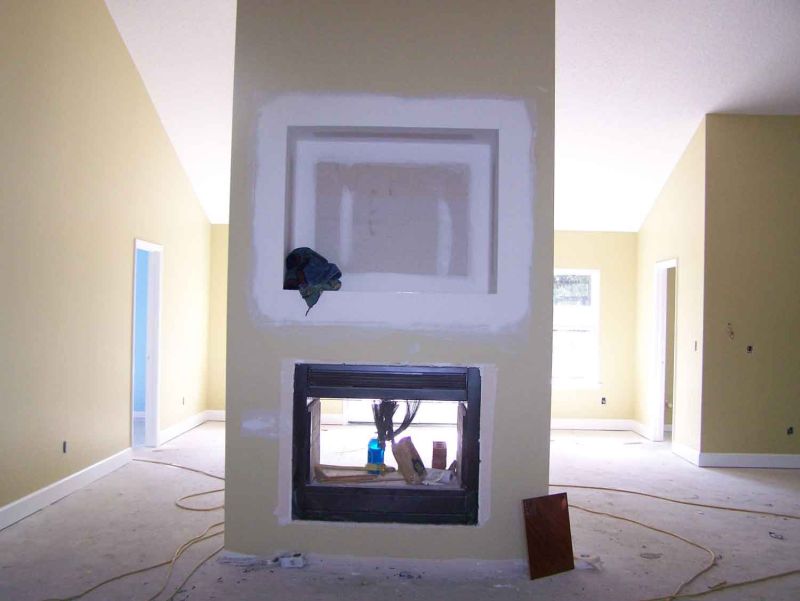
Click here for full size, higher quality image
Forum Responses
(Cabinetmaking Forum)
From contributor D:
Have you thought about a linear actuator? Go to firgelliauto.com and look at their track actuators. They have remotes as well.
From contributor R:
Or an Auton Panel Lifter?
From contributor P:
I had to do exactly what you are mentioning several years ago. It was not cheap, but it turned out to be very pleasing. What we did was use a picture frame inside a picture frame. In our case it was a very elaborate Louis style outside frame attached permanently over the opening. An inner frame held the artwork and was attached to a modified Auton type lift. The art and inner frame slid back slightly and up out of sight with a push of a button. What was so nice was you saw either the picture or the TV. Everything else was hidden. This works if you have the space above the TV on the inside of the wall.
